

Film / Room Assembly
Room Assembly: an AI video recipe
Bring your furnished interior to life with moving furniture.
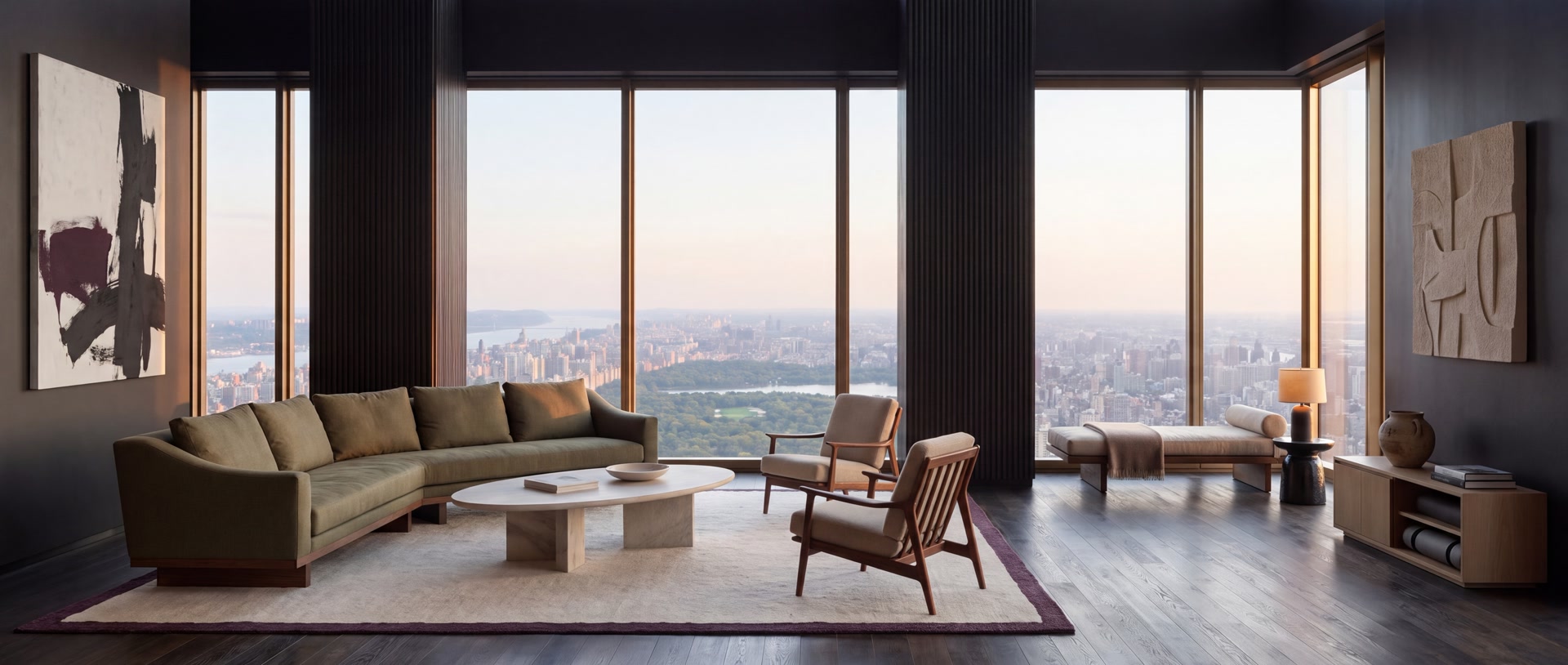 Your photo The result above
Room Assembly
Bring your furnished interior to life with moving furniture.
[Global Setup] Use @Video 1 as the moving performance and Room@Image 1 as the finished interior. Replace the entire example room with the uploaded interior throughout the film. Keep the source duration, continuous camera movement, presenter, clothing, gestures, lip sync and spoken dialogue. ROOM FROM THE PHOTO The uploaded photo determines the walls, ceiling, floor, doors, windows, built-ins, proportions, exterior view, materials and lighting. Keep these architectural features fixed throughout. Reproduce only the movable furniture, rugs, art and decor visible in the photo, with their photographed sizes, colours, counts and final arrangement. Do not copy the example room's location, palette, furniture or light into the uploaded room. Use the photo's real light direction, natural texture, straight architectural verticals and believable contact shadows. MOTION FROM THE VIDEO Keep the continuous furniture assembly seen in the source. Begin with the uploaded room's existing architectural shell, then adapt the source's arrivals to its photographed furnishings. Textiles roll out along the floor; whole solid furnishings slide or rotate into their positions; smaller items arrive after the furniture supporting them. Preserve visible movement between the empty and furnished states. No still-stage substitutions, freeze frames, jump cuts or slideshow transitions. Skip furniture categories absent from the photo. Do not invent a rug, sofa, bed or table to match the example. Built-in fixtures stay fixed. Solid objects keep their shape and scale, follow clear paths and settle with weight. Keep their paths clear of the presenter, other furniture and the architecture. ENDING Retain the source's gentle camera pull-back and finished-room ending. Show as much of the uploaded arrangement as its photographed viewpoint permits, with the furniture settled in its photographed positions. Preserve the original presenter performance through the last spoken line. AUDIO: Keep the supplied voice, timing and words: "Start with an empty room. Bring in the furniture. Add the light, the textures, the details. Now step back. Take it all in. I made this on Object. Do it for your interior. Try it now." Pronounce Object like the English word object. Dry speech only, with silence between lines. No music, sound effects, extra speech or second voice. No generated text, captions, logos or watermarks. Keep the uploaded interior's identity throughout.
- Take one wide photo showing the whole furnished room, including the floor, walls and furniture. Upload that single photo.
- Use your own interior: a living room, bedroom, office, studio or hospitality space. Your photo supplies its layout, furnishings and light; the presenter and moving assembly are included.
- Write your own voiceover or generate three options from your photo and a short brief. Choose and edit one before making the film.
- Generate a 15-second landscape film with spoken audio. The price is shown before you start.
- Interior design reveals
- Property and hospitality films
- Furniture and wellness spaces
- Stand back in a doorway or corner to fit the full room into one clear photo. Keep the camera level and avoid panoramas, collages and close-ups.
- Photograph the finished arrangement without people. Keep furniture edges and open floor space visible so the assembly has clear paths.
- Use a furnished interior. An empty room or a cropped detail does not show the pieces and layout to assemble.
- Results depend on the photo. Hidden furniture, tight spaces and complex overlaps can distort during movement; check the finished film before posting.
- The example includes subtitles and an OBJEKT ending and was upscaled from 1080p for 4K delivery. This recipe generates a 15-second 1080p room film; subtitles and the ending are added separately.
Make it with your own photo
Bring a clear reference photo. The recipe supplies the direction; you choose the image size and check the credit cost before generating.
- Interior design reveals
- Property and hospitality films
- Furniture and wellness spaces